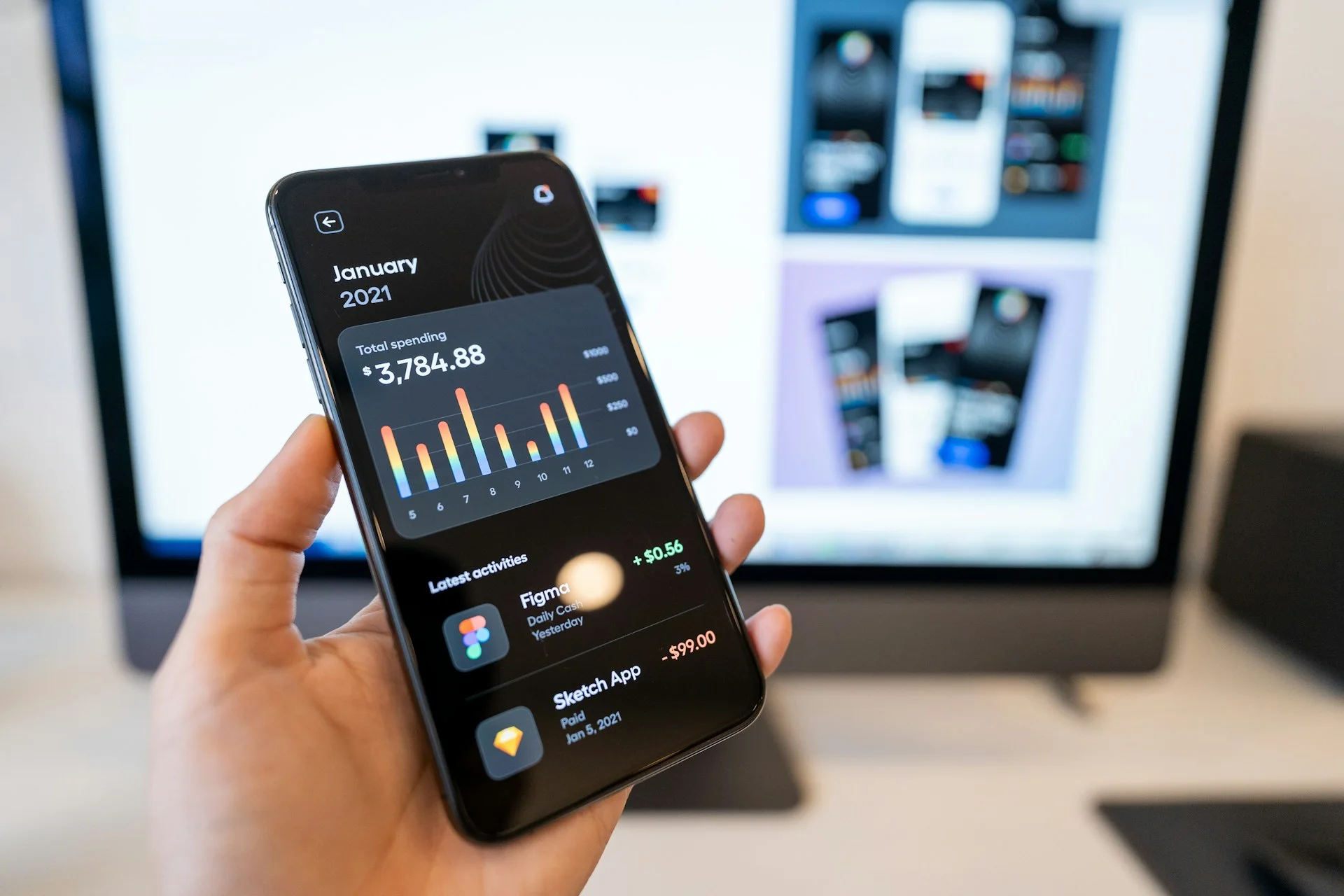
1.A Digital Tool Should Make Work Easier
For clinics, private practices, wellness providers, patients, and administrative teams, the right healthcare booking app can do more than place familiar tasks on a phone. It can reduce friction, make important information easier to reach, and give people a more consistent way to interact with a business. In Chicago's varied business environment, organizations often serve customers across different neighborhoods, operate from multiple locations, or coordinate teams with different schedules. A mobile experience should reflect those practical conditions rather than assume every user follows the same routine.
The strongest projects begin with a real business need. A company might be trying to improve service, reduce manual administration, make information more accessible, or create a more convenient customer journey. The application is a means to that outcome. When the purpose is clear, it becomes easier to decide which features belong in the first release, which integrations matter, and how success should be measured.
Consider this example: A patient trying to book an appointment may have to call during office hours, wait on hold, and repeat basic information. A thoughtfully designed booking app can make available appointment options easier to find and let patients request or manage visits at a convenient time. Clinic staff can benefit from clearer booking workflows and fewer routine scheduling calls, provided the app is integrated carefully with existing operations. The value is not simply that the process has moved onto a phone. The value is that people can complete a meaningful task with fewer avoidable steps and better information.
2.What the Application May Include
A well-scoped healthcare booking app may include provider directories, appointment availability, booking requests, reminders, cancellations, intake workflows, and secure patient communication. These capabilities should not all be treated as mandatory. The right combination depends on the business model, user expectations, operational constraints, and the systems already in place. A small business may need a focused workflow with a few reliable functions, while a larger organization may require role-based access, integrations, reporting, and administrative controls.
Feature selection should be tied to a user journey. For each capability, ask who uses it, what task it supports, what information it needs, and what should happen when the task cannot be completed. This prevents the application from becoming a collection of disconnected screens. It also gives the development team a way to estimate complexity and identify dependencies before implementation begins.
3.Appointment Access and Clinic Workflow
Booking logic needs to reflect provider schedules, appointment types, visit lengths, locations, preparation instructions, and rules for new or returning patients. Patients should understand whether a booking is confirmed, requested, or awaiting staff approval. Cancellation and rescheduling rules should be visible before a user commits. Clinics should consider how the app handles late changes, double-booking prevention, waitlists, and urgent requests that should be directed to appropriate care channels rather than treated as ordinary appointment scheduling.
4.Privacy, Accessibility, and Patient Confidence
Patients may use booking tools while stressed, unwell, or unfamiliar with the clinic's terminology. Use plain language, readable forms, accessible controls, and clear confirmation messages. Collect the minimum information needed at each step and avoid exposing sensitive details in notifications or shared-device previews. Determine whether the product will handle protected or otherwise regulated information, then obtain qualified compliance and security review before launch. The app must not imply that an automated booking workflow replaces clinical advice or emergency services.
5.Start With the Business Problem, Not the Feature List
A successful digital product begins with a clear understanding of the problem it is meant to solve. Before selecting technologies or estimating screens, the business should identify the people who experience the problem, the circumstances in which it occurs, and the current workarounds. Interviews, observation, support-ticket reviews, analytics, and discussions with frontline staff can reveal friction that may not be obvious to decision-makers.
The team should then describe a measurable outcome. That might be fewer missed appointments, faster order processing, more repeat purchases, improved staff coordination, or a reduction in manual data entry. A measurable outcome gives the project a practical direction and makes later decisions easier. If a proposed feature does not support the agreed outcome or a validated user need, it may belong in a later release rather than the first version.
6.Understand the People Who Will Use the App
User research does not need to be elaborate to be useful, but it should be deliberate. Identify the main user groups, their goals, their level of technical confidence, the devices they use, and the environment in which they will use the application. A field employee working outdoors has different needs from an office administrator. A first-time customer needs different guidance from a returning member who knows the service.
Map the main journeys from beginning to end. Record what information users need, what decisions they make, where they may hesitate, and what happens when something goes wrong. Include less common but important situations such as a forgotten password, an unavailable item, a cancelled appointment, a failed payment, or a lost connection. Designing for real conditions produces a more dependable experience than designing only for a perfect demonstration.
7.Choose Features Around Priorities
A long feature list can make a project look ambitious while making it harder to launch and maintain. Separate essential capabilities from enhancements. Essential features are those required to deliver the product's central value safely and reliably. Enhancements may improve convenience or differentiation, but they should not prevent the first release from reaching users.
A practical prioritization exercise considers user value, business impact, implementation effort, operational risk, and dependencies. It also asks whether a feature can be tested with real users. For example, a basic reporting view may be more valuable initially than a complex predictive dashboard if the organization has not yet established reliable data. A focused first release gives the team a chance to learn from actual use and make informed improvements.
8.Plan the Experience Before Development
User experience and interface design should translate requirements into a coherent sequence of actions. Information architecture defines how content and functions are organized. User flows show the path through key tasks. Wireframes establish screen structure, while visual design defines typography, color, spacing, iconography, and component behavior. Prototypes allow stakeholders and representative users to explore the concept before engineering work is complete.
The design should make the next step clear without overwhelming the screen. Use familiar patterns where they help, plain language for labels, and feedback when an action succeeds or fails. Accessibility should be considered from the start: readable text, sufficient contrast, appropriately sized touch targets, support for assistive technologies, and alternatives to color-only signals. These decisions improve usability for a wider range of people.
9.Make Technology Decisions That Fit the Product
Technology should follow the requirements rather than dictate them. The team should evaluate whether native iOS and Android development, a cross-platform framework, a progressive web app, or a web-first approach best fits the product. Relevant considerations include device-specific capabilities, performance expectations, offline behavior, integrations, release cadence, available skills, and long-term maintenance.
Many applications also need backend services, databases, APIs, authentication, notifications, analytics, and connections to existing business systems. These components should be documented as part of the architecture. A clear separation between the mobile interface and backend responsibilities can make the product easier to test and evolve. The right choice is the one that supports the required experience with an acceptable level of complexity, risk, and operating cost.
10.Treat Security, Privacy, and Reliability as Core Requirements
Security is not a final checklist item. The project should identify what information is collected, why it is needed, who can access it, how long it is retained, and how it is protected. Apply least-privilege access, secure authentication, encrypted data transmission, appropriate secrets management, and careful handling of logs. Sensitive information should not be collected simply because it might be useful later.
Privacy and regulatory obligations depend on the data, industry, location, and business model. Healthcare, financial, employment, and payment-related applications may have additional requirements. Businesses should obtain qualified legal and security advice where appropriate rather than assuming that a standard app design automatically satisfies every obligation. Reliability also requires backups, monitoring, incident procedures, and a plan for recovering from service interruptions.
11.Integrate With the Systems the Business Already Uses
An app can become frustrating if it creates another isolated pool of information. During discovery, list the systems that may need to exchange data: websites, customer relationship management platforms, point-of-sale systems, scheduling tools, payment providers, accounting software, inventory platforms, or identity services. For each integration, define the source of truth, the data being exchanged, the timing, and what should happen if a connection fails.
Integrations need testing with realistic data and clear ownership. A field that has a different meaning in two systems can create errors even when the API connection works. The team should also consider duplicate records, synchronization delays, rate limits, permission scopes, and vendor changes. Well-planned integration reduces double entry and helps the app fit into daily operations rather than forcing employees to maintain parallel processes.
12.Test the App in Realistic Conditions
Quality assurance should cover more than whether each button responds. Test the complete user journeys, different device sizes, supported operating-system versions, slow or interrupted connections, permission settings, accessibility, and the data states users may encounter. Include functional, usability, performance, security, and regression testing appropriate to the product's risk.
Pilot testing with a small group can reveal problems that internal reviews miss. Give participants realistic tasks and observe where they hesitate, make mistakes, or ask for help. Record defects by severity and resolve issues that block important tasks before launch. A documented release checklist should cover app-store requirements where relevant, privacy disclosures, support contacts, analytics events, backups, and a rollback or recovery plan.
13.Launch With a Practical Adoption Plan
A launch is a change to the way people work or interact with a business, so communication matters. Prepare concise instructions, onboarding content, FAQs, support processes, and internal training for the people who will answer questions. If the app is intended for customers, explain the value clearly on the website and in relevant communication channels. If it is for employees, managers should understand the workflow and be ready to reinforce consistent use.
Avoid measuring launch success only by downloads or registrations. Look at whether users complete the key task, return when they have a reason to, and experience fewer points of friction. For an internal tool, measure adoption by role or location and check whether the app actually reduces manual work. Early feedback should be reviewed regularly and translated into a prioritized improvement backlog.
14.Measure Results and Keep Improving
Useful measurement starts with a small set of meaningful indicators. Depending on the product, these may include task completion rate, booking conversion, repeat purchase frequency, time to complete a workflow, support requests, error rate, retention, or operational processing time. Define each metric clearly and establish a baseline before launch where possible. Otherwise, a team may see a number change without knowing whether the product caused the change.
Analytics should support decisions, not collect every possible event. Track only what is needed, explain data practices appropriately, and avoid placing personal or sensitive information in analytics payloads. Review qualitative feedback alongside quantitative trends. A drop in completion may be caused by confusing wording, a technical defect, an unavailable service, or a change in business operations. Continuous improvement means investigating the cause before adding more features.
15.Why a Chicago-Focused Digital Partner Can Add Value
A local-market perspective can help a project team understand the context in which a business competes, the customers it serves, and the way its website and marketing support the product. Chicago businesses operate across many sectors and service areas, so the app strategy should reflect the actual audience rather than assume that every organization needs the same solution. A restaurant, professional-services firm, healthcare practice, retailer, and startup will have different workflows and success measures.
Chitown Digital Experts presents a broader digital-services offering that includes website design and development, SEO, social media management, branding, content, and mobile app development. That wider view can be useful when a mobile product needs to work alongside a website, brand identity, and customer acquisition activity. Learn more at https://www.chitowndigitalexperts.com/ or call 212-516-8531 to discuss your project and its objectives.
16.Plan for Maintenance From the Beginning
After release, the app will need attention. Operating systems change, devices evolve, third-party services update their APIs, and users identify needs that were not visible during the initial project. A maintenance plan should identify who monitors errors, applies security updates, reviews dependencies, handles support requests, and approves product changes. It should also set expectations for response times and the process for urgent incidents.
Budgeting only for initial development can leave a business with a product it cannot confidently maintain. Include hosting, third-party subscriptions, monitoring, support, testing, and planned enhancements in the ownership model. Keep technical documentation current and ensure the organization understands how accounts, source code, credentials, data exports, and vendor relationships are managed. Responsible ownership protects the investment and gives the product room to mature.
17.How to Evaluate a Development Partner
When comparing providers, ask how they approach discovery, requirements, design reviews, technical architecture, testing, security, and post-launch support. Request examples of relevant work and ask what role the provider played. A portfolio can demonstrate visual quality, but the discussion should also cover how the team handles changing requirements, integration risks, defects, and communication.
A useful proposal should explain scope, assumptions, deliverables, milestones, responsibilities, dependencies, and what is excluded. It should distinguish confirmed requirements from items that need further discovery. Be cautious of promises that guarantee a particular business result or a fixed delivery date before the requirements are understood. A dependable partner explains trade-offs clearly and helps the business make informed decisions.
18.A Practical First Step
Before requesting a quote, prepare a short project brief. Describe the business, intended users, problem to solve, most important user journeys, essential features, systems that may need integration, target devices, and any known constraints. Add examples of applications or workflows that illustrate what you like, but explain the reason behind each example. This gives a development team something concrete to discuss without pretending that every detail is already settled.
The first conversation should clarify the opportunity and identify the questions that need research. A sensible next step may be a discovery workshop, a requirements outline, a wireframe, a prototype, or a technical assessment. The best starting point depends on uncertainty and risk. Taking time to define the problem can prevent expensive rework and help the project move forward with a shared understanding.
19.How Chitown Digital Experts Can Support the Project
Choosing a development partner is about finding a team that can understand the business problem and help turn it into a practical digital product. Chitown Digital Experts offers a wider digital-services perspective that includes website design and development, SEO, social media management, branding, content, and mobile app development. That combination is relevant when the application needs to fit the company's existing website, brand identity, and customer-acquisition activity.
For example, a business may need a service page that explains the app, a consistent visual identity across web and mobile, useful content that answers customer questions, and social media materials that introduce the new experience. Treating these elements as connected parts of one digital presence can make the customer journey more consistent. The precise scope, technical approach, schedule, and deliverables should be established through project discovery rather than assumed in advance.
To learn more about the company's services, visit [Chitown Digital Experts](https://www.chitowndigitalexperts.com/). Businesses can also call **212-516-8531** to discuss their goals and the type of digital solution they are considering.
20.A Practical Roadmap From Idea to Launch
A clear project roadmap usually moves through discovery, requirements, experience design, technical planning, development, quality assurance, launch preparation, and ongoing improvement. These stages may overlap, but each should produce an understandable output. Discovery clarifies the problem and audience. Requirements define the essential journeys and constraints. Design makes the experience tangible. Technical planning confirms architecture and integrations. Development creates the product, while testing checks that it works under realistic conditions.
The roadmap should include decision points. Stakeholders need to review user flows and prototypes before large amounts of engineering effort are committed. Integration risks should be tested early. Content, privacy disclosures, support processes, and operational training should be prepared before release. A phased plan also makes it easier to adjust scope when new information appears without losing sight of the original business objective.
21.What Success Should Look Like
Success should be defined before launch. Choose a small number of indicators connected to the problem the app is intended to solve. Depending on the product, useful measures may include completed bookings, successful transactions, task completion time, repeat usage, fewer support calls, improved stock accuracy, or reduced manual processing. Establish a baseline where possible and review results by relevant user group or location.
Downloads and registrations can show initial interest, but they do not prove that the application is useful. A product that attracts users but fails to help them complete the central task needs improvement. Combine analytics with feedback from customers and staff. Review where people abandon a flow, which questions they ask, and what workarounds remain. Use those findings to prioritize improvements instead of adding features simply because competitors have them.
22.Build for Trust and Long-Term Use
People are more likely to keep using an application when it is dependable, understandable, and respectful of their time and information. Make important actions predictable, explain errors in plain language, and provide a route to support. Protect accounts and data with appropriate technical controls, limit access according to role, and collect only information that is genuinely needed. The level of privacy, security, and regulatory review should match the type of information and the industry in which the app operates.
Long-term planning matters too. Mobile operating systems change, third-party services evolve, and business requirements develop. Assign responsibility for monitoring, maintenance, updates, backups, and customer support. Keep documentation and ownership arrangements clear. A realistic maintenance plan protects the investment and makes it possible to improve the application as users and business needs change.
23.Final Thoughts: Turn the Idea Into a Useful Experience
A successful healthcare booking app is not defined by the number of screens or the length of its feature list. It is defined by whether it helps clinics, private practices, wellness providers, patients, and administrative teams accomplish something important with less friction and greater confidence. Start with the problem, understand the people affected, prioritize the essential journey, and test assumptions before expanding the scope. Give equal attention to usability, security, integrations, performance, launch preparation, and ongoing support.
For Chicago businesses exploring their next digital project, Chitown Digital Experts can be a starting point for a conversation about how mobile app development fits into a broader digital strategy. Visit [www.chitowndigitalexperts.com](https://www.chitowndigitalexperts.com/) to learn more, or call **212-516-8531** to discuss your requirements. A well-planned application should not simply add technology to the business. It should make a meaningful part of the business work better for the people who rely on it.
24.Questions to Resolve Before Approving the Scope
Before approving a proposal for a healthcare booking app, decision-makers should agree on the primary audience, the most important task, and the business outcome expected from the first release. Clarify which user roles will exist and what each role can view or change. Identify the systems that must connect to the app and confirm who owns access to those systems. Discuss the devices and operating-system versions that need support, as well as any accessibility requirements. These answers influence design, architecture, testing, and cost.
It is also useful to agree on who will provide content, approve designs, test the product, and make decisions when trade-offs arise. A project can lose momentum when feedback is delayed or when several stakeholders give conflicting direction. Establish a review process, a single point of contact, and realistic turnaround times. Ask for milestones that produce reviewable outputs, not simply a calendar of development activity. The clearer these responsibilities are, the easier it is to keep the work aligned.
25.Common Mistakes to Avoid
One common mistake is starting development before the business understands the user journey. That often leads to rework when stakeholders discover missing steps or conflicting assumptions. Another is trying to include every possible feature in the first release. A broad scope increases complexity and can delay the point at which real users provide feedback. A third mistake is treating security, accessibility, and maintenance as optional extras. These areas affect the quality and sustainability of the product and should be included in planning from the beginning.
Businesses should also avoid choosing technology solely because it is popular or because another company uses it. The correct approach depends on the app's requirements, integrations, performance needs, team capability, and expected lifespan. Finally, do not assume that launch automatically creates adoption. Users need a clear reason to try the app, guidance when they first use it, and a dependable experience that encourages them to return.
26.Frequently Asked Questions
How long does it take to develop a healthcare booking app? The timeline depends on scope, integrations, design complexity, platform choice, content readiness, and review cycles. A focused first release may be planned differently from a large multi-role platform. A reliable estimate follows discovery and requirements definition.
Does every business need a mobile app? No. Some needs are better served by an improved website, a progressive web app, or an existing software platform. The decision should be based on customer behavior and business value, not the assumption that an app is automatically necessary.
Should the first version include every requested feature? Usually not. Prioritize the core journey and essential operational requirements. Additional capabilities can be evaluated after the first release produces real usage data and feedback.
Can an app connect with an existing website or business system? Often, yes, through APIs or supported integrations. The feasibility depends on the systems involved, their access policies, data structure, and available integration methods. Confirm these details early.
What happens after launch? The product needs monitoring, updates, support, security maintenance, and a process for reviewing user feedback. Plan for ongoing ownership rather than treating launch as the end of the project.